
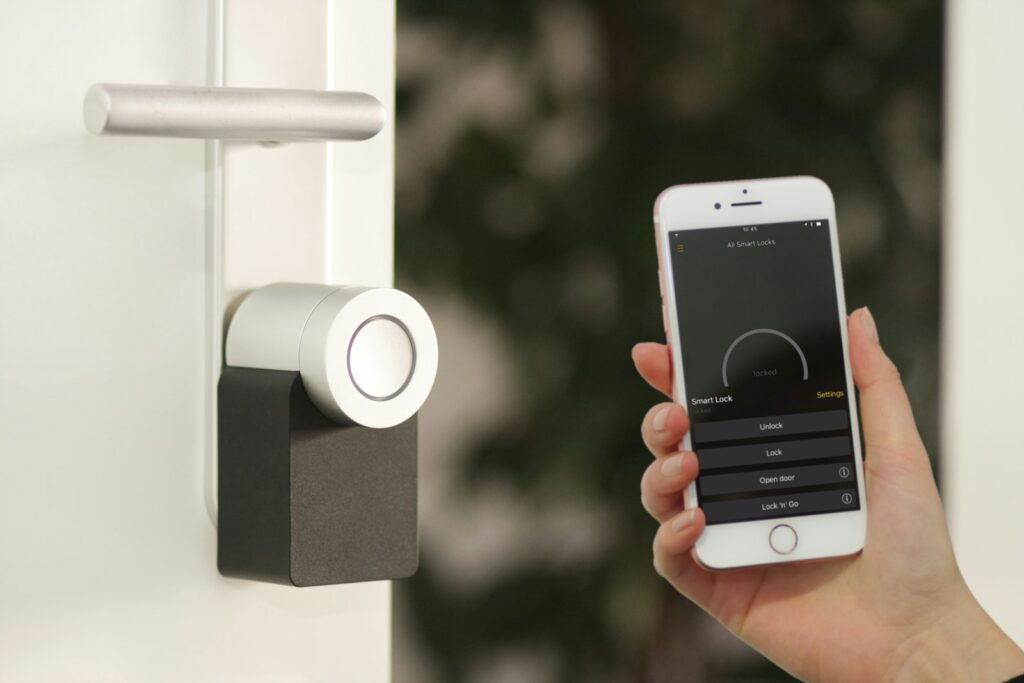
Smart home technology has quietly become mainstream — voice assistants, smart lights, cameras and thermostats now cost less and work more reliably than they did five years ago.
This guide covers what smart home tech actually gives you (and what is still gimmicky), how to choose an ecosystem, and how to build a starter smart-home stack without overspending or creating a security nightmare.
Why This Matters
A well-chosen smart-home stack saves time (routines, automation), saves energy (smart thermostats, occupancy lights), and increases safety (cameras, sensors) — all while being enjoyable to use.
The Main Options at a Glance
Not every option is the same. Understanding the landscape first makes every later decision easier and cheaper.
| Category | Example Devices | Value |
|---|---|---|
| Lighting | Philips Hue, LIFX | Convenience + mood + savings |
| Voice assistants | Alexa, Google Nest, Apple HomePod | Central hub, hands-free control |
| Security | Ring, Arlo, Aqara | Peace of mind |
| Climate | Nest, ecobee | Comfort + energy savings |
| Smart plugs | TP-Link, Wyze | Retrofit old devices |
| Robot vacuums | Roomba, Roborock, Dyson | Time saving |
How to Choose the Right Fit
Follow the steps below in order — they will save you weeks of second-guessing later.
- Pick an ecosystem (Apple HomeKit, Google Home, Alexa or Matter-first).
- Start with 3–5 devices — lights, plug, thermostat, camera, hub.
- Set up on your home Wi-Fi with strong passwords + guest network.
- Create 2–3 automations — morning, evening, away.
- Update firmware regularly — smart-device security depends on it.
- Review privacy settings quarterly.
Comparison at a Glance
| Ecosystem | Strengths | Weaknesses |
|---|---|---|
| Apple HomeKit | Privacy, tight iPhone integration | Fewer 3rd-party devices |
| Google Home | Voice quality, Android integration | Privacy trade-offs |
| Amazon Alexa | Widest device support | Privacy trade-offs |
| Matter (cross-ecosystem) | Future-proof, interoperable | Still maturing |
Practical Tips That Actually Work
- Choose Matter-compatible devices where possible.
- Segment your smart devices on a guest network.
- Change default passwords immediately.
- Avoid unnecessary cameras indoors.
- Start with lighting + plug automations — fastest visible payoff.
- Delete voice recordings periodically.
Common Mistakes to Avoid
- Buying too many devices at once.
- Ignoring firmware updates.
- Placing cameras insecurely inside bedrooms/bathrooms.
- Mixing three ecosystems for no reason.
- Forgetting to change default passwords.
Frequently Asked Questions
Are smart home devices safe?
When set up correctly (firmware updates, strong passwords, guest network), reasonably so. Poor setup is what causes breaches.
Do smart thermostats really save money?
Usually yes — 10–20% on heating and cooling bills is common with proper use.
Is a hub always required?
Not if you stick to a single ecosystem with Wi-Fi devices. Matter/Thread devices sometimes need a hub.
Should I put cameras inside?
Only if you have a specific reason and are comfortable with the privacy implications.
Are voice assistants always listening?
Technically they listen for the wake word locally. Voice snippets after the wake word are usually stored — check settings to disable or delete.
Final Thoughts
A smart home works best when it is thoughtful, not maximalist. Pick an ecosystem, start with a few useful devices, secure them properly and add automations you’ll actually use. Do that and smart home tech quietly makes daily life a little easier every single day.